Stable
1.10.10117
Daily-driver build with the safest release cadence.
- Updated
- 3 days ago
- File Size
- 536.7 MB
- Release Notes
- Open notes
Stable is the recommended track for most users. Alpha gets you the newest capabilities first.
Daily-driver build with the safest release cadence.
Fastest release track with the newest features and experiments.
Every release stays linked here so you can inspect what changed before you switch versions.
Rewritten Aura Tree - the thing on the left of the program where all auras management is happening - to use new UI tech. In the current iteration the goal is to replicate the existing functionality. Huge benefit of the newer UI tech is performance - it can handle even very large number of auras without any hiccups and problems. Some known problems are still there - e.g. drag'n'dropping the aura to root folder still leads to crash. The fix will be deployed in one of the following patches.
Right now both trees co-exist and are toggleable on the fly. Performance/loading speed benefits will be seen later when "there will be only one" (c) left


There is new option in Settings. It will make configuration being periodically saved into local Git repository. This opens up a bunch of possibilities:

P.S. Important! Option is available only when "File system storage" is enabled. This is already default for new users and will be switched on for everyone later in April. You can enable it yourself right now at any moment.
Greatly improved the mechanism that accepts and parses bug reports - now I will be able to react to your reports in a much quicker fashion because each and every report will be also duplicated on EyeAuras bug tracker and in Discord. So, pretty please, write comment with some info about what you've been doing before the bug occurs if you're sending the report. It greatly helps!

And this is how it looks in Discord.

Changed how Wait node operates and looks - previously there was a problem with Wait node skipping the first tick. Also updated documentation: https://wiki.eyeauras.net/ru/behavior-trees/nodes/wait

Execute Aura node and action have received a minor improvement - now you can choose how to execute linked actions, in order or randomly pick one of them. The latter could be used, for example, to randomly pick one of teleports to a spot to make actions of your bot less predictable.


This release contains mostly different improvements and bugfixes from the first week of Behavior Trees being public and people starting doing some scripting in it.
In all triggers of a Search family, new option is added which highlights on the screen the window that is being captured as well as the region inside window (if set) that is processed. This helps during debugging/configuration process a lot. Also ALL OSD checkboxes are bindable so you can very easily throw-in some HotkeyIsActive trigger, bind all checkboxes to its IsActive property and voila - you have toggleable overlay with all bounding boxes/regions/labels right on your screen.

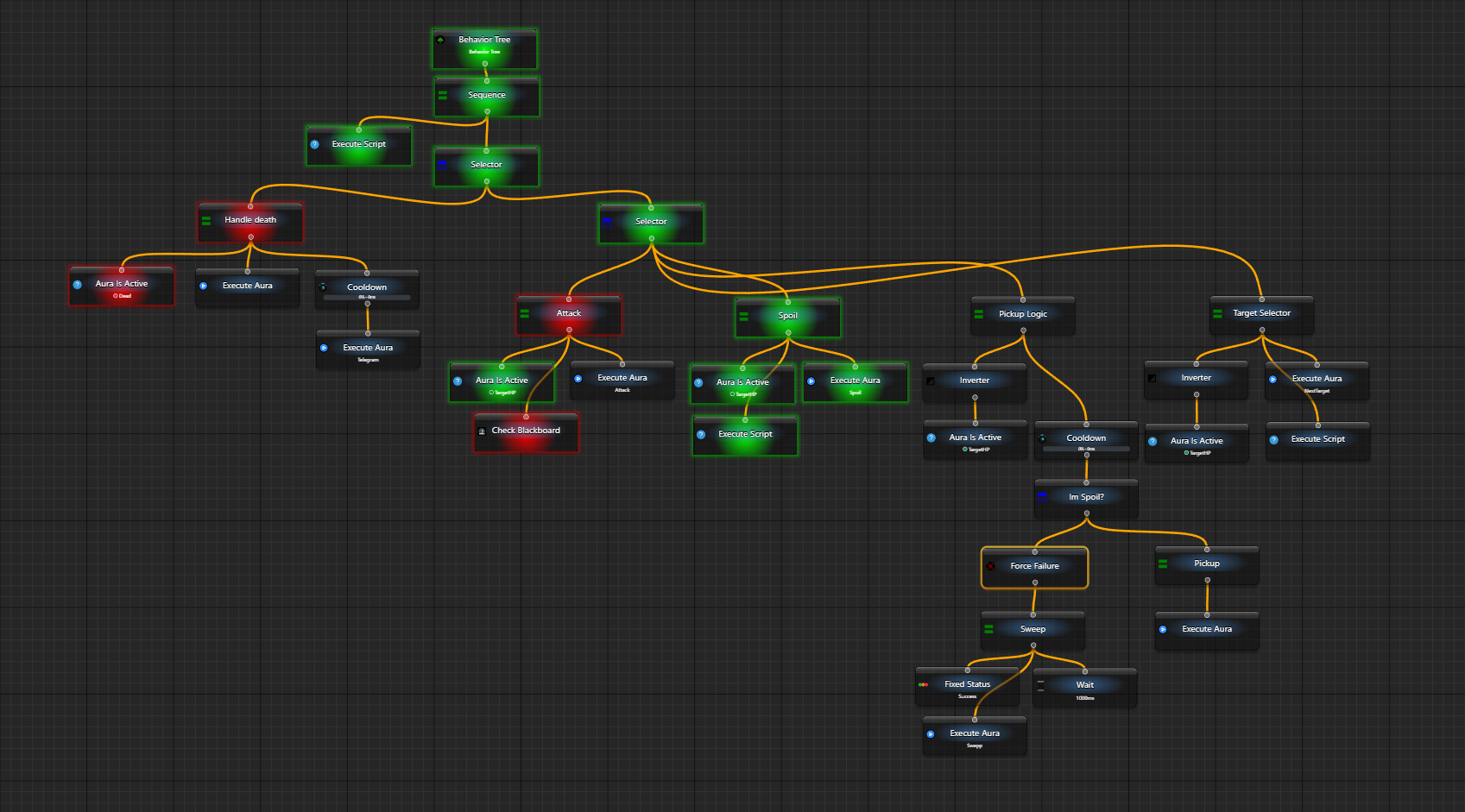
. which will return the aura/folder where the script is running. Refer to this example to get better understanding of what I am talking aboutAfter about 6 months of work, I am very glad to finally kick off the public testing phase of the new tool in EyeAuras called Behavior Trees. In short, this is a new way of building logic of your bots and scripts, it is the very core of any automation. Previously, you had to use Triggers which brought Actions to life with OnEnter, WhileActive and OnExit sections. In the new approach, you will have much-much-much more extensive tooling that allows to add cooldowns, conditions, sub-routines (aka sub-trees) and all that powered by the new scripting subsystem.
This is a new "meta" and everything that exists right now in the program will be adopted and changed to be suitable for usage in trees. The reason is that I see this mechanism as the very thing that was missing in the program - being able to quickly and easily model something, be it a simple clicker or a complex combat rotation. The beauty of trees is that they can do both. Yes, they definitely require a bit of understanding, just like the previous system did, but it is much-much easier to manage when you have dozen of different skills, conditions, etc. Anyone, who tried to scrap something in EyeAuras that manages a bunch of different conditions (like I am alive and I have a skill ready and HP is > 40% and I have an active target and ...) knows what I am talking about.
p.s. I know that english version is a bit rough, but maintaining docs in two languages at the same time is a bit unrealistic, so I had to cut some corners here and used ChatGPT do automate the translation process :D I'll do some fine-tuning in the following months.
Please, keep in mind, that BTs have been used by maybe a dozen of people in scope of closed testing phase, so there is a high chance that something may not be working, something may be inconvenient and a lot will change in the next quarter. If you have any concerns or reports - please do not hesitate to contact me.
Right now, there are few very important pieces missing in BTs, such as:


Send Message / Network Message action/trigger pair is a powerful tool that can help you build your own controllable network of inter-connected EyeAuras. This has been available for a few years at this point and is used mostly for multi-boxing (on multiple PCs) purposes.
What was always a problem is latency - all messages had to come through one of EyeAuras servers, which introduced latency. The new broadcasting mode allows you to use your local network to exchange messages between PCs, which basically eliminates any latency.
The feature is still in early alpha and very rough on the configuration side of things - you have to specify the IP manually, for example. Also, it may not work in some configurations where routers do not support multicast. Also, the feature is not properly tested yet, so use it with discretion.
To use this new feature, set ChannelId to:
p.s. by default, the program uses port 53082 for communications, but you can pick any other port if you want, right after IP in ChannelId (e.g., broadcast://255.255.255.255:55055/anychannelname)

One of final versions before moving everything to main branch.
Including line number into error messages
Whenever scripting subsystem encounters and error, it will log the exact line of code that led to this and this info will be shown in both application logs(file) and event log.
Writing code without any kind of automatic formatting is a painful process and this feature addresses that. Now you can either press Ctrl+Alt+Enter or use context menu to format the document automatically. It will put in additional line breaks, missing spaces, indentation, etc.
The current version is quite simple, but it is still much better than doing everything manually